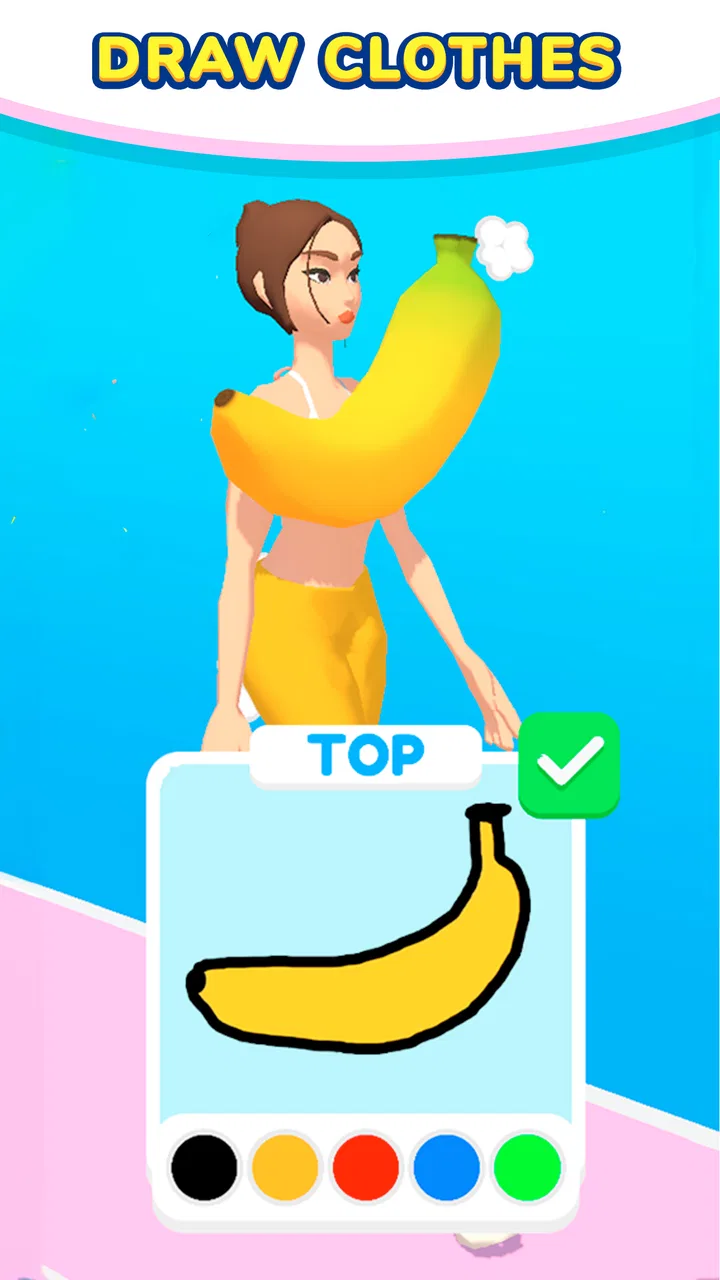
Draw Dress!
- 3.0
- Rating
- 5.00M
- Installs
- Free
- Price

 Analysis by App-foxy
Draw Dress! caught my attention because it turns a familiar dress-up idea into a small creative business: I draw clothing, put together an outfit, and try to sell the result. That simple loop makes the game easy to understand within minutes, and it fits the quick, casual style I expect from an arcade game. It is free to play, developed by Yso Corp, and aimed at Teen players, so it is clearly designed for short sessions rather than a deep fashion-design simulation.
My first impression was positive. The appeal is immediate because the game gives me a clear task instead of asking me to learn a complicated system. I can start experimenting almost at once, and the act of making something with my own hand feels more personal than merely selecting a finished outfit from a menu. The store summary presents the central idea plainly, but the enjoyable part is seeing how much personality can come from a very small creative action.
Why the first week feels more entertaining than expected
During the first few sessions, the strongest feature is the low barrier to entry. I do not need fashion knowledge, drawing experience, or a long uninterrupted block of time. I can approach a design as a quick experiment, make a choice, and move on. That makes it suitable for a commute, a short break, or the few minutes before bed when I want something interactive but not demanding.
You May Also Like

 Blood Strike: 2.5 Anniversary
Blood Strike’s Loadouts Turn Every Drop Into a Tactical Gamble
A close look at Blood Strike’s custom loadouts: how fast access to signature weapons reshapes its battle royale rhythm, rewards preparation, and narrows the gap between fights.

 Pandora - Music & Podcasts
Pandora’s Music Is Easy to Start, but Harder to Recover
Pandora’s strength is its low-effort path from a seed to a station. Its weak spot is how much confidence it asks you to place in connection, setup, and quiet recovery.

 8 Ball Pool
 Is Built on Rivalries, Rematches, and Routine
A close look at the rivalries, rematches, shared routines, and unanswered safety questions that turn a quick pool match into a persistent mobile community.

 Samsung Music
’s Quiet Strength Is Playing What You Already Own
Its reach comes less from spectacle than from dependable access to a personal library. That simplicity is both the app’s strongest retention engine and its ceiling.

 AccuWeather: Weather Radar
AccuWeather Review: A Quick, Clear Forecast for Everyday Decisions
For everyday plans, the best forecast is the one you can understand quickly. AccuWeather makes rain timing, radar, and local conditions easy to act on, with a few trade-offs.

 Hill Climb Racing
Why Hill Climb Racing Still Turns Crashes Into One More Run
A tiny car, a bumpy hill and one more upgrade: Hill Climb Racing keeps resurfacing because its simple chaos makes every near-miss feel personal.
More From Our News Desk



The drawing element also gives the game a useful sense of ownership. Even when the available framework is simple, I am not just watching a character receive a preset costume. I am making a visual decision and then seeing that decision become part of the result. That small connection between action and outcome is what separates this from a standard dress-up catalog.
I found that the best early approach was to treat each outfit as a test rather than trying to create a perfect design immediately. I would first make a straightforward shape, observe how it looked when worn, and then adjust my next attempt. This is more rewarding than spending too long on one idea because the game is built around quick feedback. Use the first few sessions to learn what the game accepts visually, not to chase perfection.
That advice matters because drawing on a phone can feel less precise than drawing on paper or using a full design application. A finger covers part of the screen, and small gestures may not produce the exact result I imagined. The game works best when I embrace bold, readable choices. Simple outlines and clear shapes are easier to control than tiny decorative details.
The arcade classification is a good fit. This is not a serious clothing-design tool, and I would not recommend it to someone looking for fabric construction, professional illustration controls, or a detailed fashion-management simulation. Its strength is the immediate loop: create, present, and see whether the result feels successful. The game is more about playful decisions than technical accuracy.
There is also a useful social angle, even when I play alone. I naturally start judging my own designs as if I were choosing something for a particular person or occasion. A bright, exaggerated idea may work better for a playful look, while a restrained design can feel more deliberate. The game does not need a complicated narrative to create that kind of mental role-play; the clothing itself gives me a reason to make choices.
Still, the first-week appeal depends heavily on novelty. The initial pleasure comes from discovering how the drawing and selling loop works. Once I understand the basic rhythm, the question becomes whether the game gives me enough reason to return. That is where the experience becomes more personal: players who enjoy repeating a creative action may settle in, while others may feel they have seen the main idea quickly.
How I would use it in an ordinary day
Imagine having five minutes while waiting for an appointment. I can open the game, sketch a quick outfit, and finish a small cycle without needing to remember a complex quest or manage a large collection. If I make something I like, the short session feels productive. If the result is awkward, I can treat it as a failed sketch rather than a serious loss and try again later.
That makes it more convenient than many larger dress-up games, which often expect me to browse extensive wardrobes, follow events, or spend time arranging several layers of clothing. Those alternatives can offer more variety, but they also ask for more attention. Draw Dress! is better when I want a compact creative distraction rather than a long-term collection project.
The trade-off is that the same simplicity that makes it accessible can limit the sense of discovery. Players who want a large wardrobe, detailed character customization, or a strong story will probably find the experience too narrow. I would choose it for quick making and judging, not for building a fashion world over many hours.
What remains after the novelty fades
After the first week, I began evaluating the game less by its immediate charm and more by its repeat value. The central question is whether designing another outfit still feels like a choice or whether it becomes a routine action. For me, the answer depends on how much I vary my approach. If I repeat the same safe design every time, the loop becomes predictable. If I deliberately change the silhouette, mood, or intended wearer, it stays more interesting.
This is where the game rewards a personal challenge system. I can decide to make a formal look, a deliberately strange look, or an outfit based on a limited visual idea. These challenges are not a replacement for substantial progression, but they help turn a short loop into a creative exercise. A player who enjoys setting small goals may get more lasting value than someone waiting for the game to supply constant new surprises.
One practical method is to alternate between efficient designs and experimental ones. A straightforward outfit lets me move through the activity without frustration, while the experimental attempt gives me a reason to pay attention. This prevents every session from becoming either too serious or too repetitive. It also makes failure useful: an unattractive result can show me which kind of drawing I should simplify next time.
The game’s free price makes that experimentation easier to accept. I can try it without committing money at the start, which is appropriate for a light arcade title. However, free access does not automatically make a game a good long-term fit. The real cost may be attention: if I keep opening it out of habit but no longer enjoy creating anything, it has stopped earning that time.
In-app purchases are listed at $3.99 per item. I would therefore approach optional spending carefully and decide whether a purchase genuinely improves my enjoyment before paying. For a game whose appeal comes from quick drawing and simple presentation, I would not assume that buying something will solve repetition. The better test is whether I already enjoy the basic loop without needing an extra reason to continue.
The audience size suggests that the concept has reached a substantial number of players, with over five million installs and an average rating of three stars from around five thousand ratings. Those figures make the game easy to discover, but they also signal a mixed experience rather than universal approval. I would read that as a reason to keep expectations moderate: the idea is accessible, yet its simplicity will not satisfy everyone for long.
For month-to-month use, I think the game works best as a companion app rather than a main game. I can return when I want a low-pressure creative break, but I would not build my entire mobile gaming routine around it. That distinction is important. A product can be enjoyable in small doses without providing enough depth for daily, extended play.
The maintenance burden is small, but the habit needs attention
One advantage is that the game does not demand much preparation. I do not need to organize a large inventory before starting, and the basic concept is easy to remember after a break. That makes returning after several days relatively painless. I can pick it up again without feeling that I have missed an important chain of events.
At the same time, low maintenance can become low attachment. Games with collections, stories, or evolving goals often give me a strong reason to return. Here, the motivation has to come mainly from the act of designing. If that creative impulse is not present, there may be little else to pull me back. I see this as the central long-term limitation, not as a flaw in the controls.
My recommendation is to keep sessions intentional. Instead of opening the game automatically whenever I am bored, I would use it when I actually want to make a small visual decision. That preserves the novelty of the activity and prevents it from turning into empty tapping. It is a minor habit change, but it makes a noticeable difference in whether the game feels refreshing or tiring.
The current version is 1.5.0, and it runs on Android devices using version 7.0 or later. That broad compatibility makes it practical for people who are not using the newest phone. I would still judge the experience on the specific device in hand, because drawing comfort depends on screen size and touch response. A larger display may make gestures feel more manageable, while a compact screen can make precision more frustrating.
Maintenance also includes managing expectations around the audience rating and the Teen content classification. The age label means I would not present it as a game for very young children without checking whether it suits them. For older players, the rating is simply a reminder that the intended audience is broader than a preschool dress-up toy.
Where fatigue appears first
The first source of fatigue is repetition in the core action. Drawing clothing, seeing it used, and moving to the next attempt is satisfying when I am still exploring possibilities. Eventually, however, I may feel that I am repeating a familiar gesture without gaining a new kind of decision. This is especially likely for players who prefer structured progression or a clear final objective.
The second source is the gap between creative intention and touch-screen execution. I may picture a precise garment but produce a rougher version because the interface is designed for quick mobile interaction. That is acceptable for casual play, but it can become irritating if I approach the game with the standards of a drawing application. The right mindset is expressive sketching, not fine illustration.
A third issue is the possibility of spending money in response to boredom. If the basic loop begins to feel repetitive, an optional purchase may look like an easy way to refresh it. I would resist that impulse until I have identified what I actually want from the game. If I want deeper design tools or a larger creative sandbox, a different app category would be a better answer than buying more within a simple arcade experience.
There is also a difference between visual creativity and strategic depth. The game lets me make clothing-related choices, but that does not mean it offers the same satisfaction as a management game with budgets, customers, supply decisions, or a growing fashion label. Someone attracted by the idea of selling clothes may expect a business simulation and feel disappointed. I would describe the selling element as part of a playful loop, not as a detailed economic system.
Compared with conventional dress-up games, this title is more hands-on at the moment of creation and less focused on collecting finished items. Compared with drawing apps, it is more immediately game-like but far less suitable for practicing illustration. Compared with fashion-management games, it is quicker and friendlier but much lighter on planning. Choosing between them depends on whether I want expression, wardrobe variety, or strategy.
Who should keep it installed
I think it earns a place on the phone of someone who enjoys short creative tasks, likes judging visual results, and does not need a large progression system to stay interested. It is also a good fit for players who find traditional dress-up menus too passive. The simple act of drawing gives the experience a little more involvement than selecting from a catalog.
I would recommend skipping it if you want a deep fashion simulator, precise digital-art controls, or a substantial story. I would also hesitate to recommend it to anyone who becomes frustrated when a touch-screen drawing does not match an imagined design exactly. In those cases, a dedicated art app or a more detailed customization game would provide a better long-term match.
For me, the strongest use is occasional play with a clear personal prompt. I might open it when I want to create something silly, test a new shape, or fill a short break without entering a complicated game world. That keeps the experience aligned with what it does well and avoids demanding depth that is not central to its design.
My long-term verdict on Draw Dress!
Draw Dress! earns lasting space only if I treat it as a compact creative toy, not as a complete fashion game. Its first-week appeal is genuine: the concept is clear, the drawing action feels more personal than ordinary outfit selection, and the arcade format makes it easy to play in short bursts. The free entry point also lowers the risk of trying it.
Its month-to-month value is more conditional. I can extend the fun by inventing my own themes and switching between safe and experimental designs, but the game does not automatically provide enough depth for every player. Repetition, touch-screen imprecision, and the temptation to spend in search of freshness are the main pressures that can shorten its life.
My honest recommendation is to download it if you want a light, hands-on dress-up experiment and are comfortable with a simple loop. Give it a few sessions without buying anything, try different design approaches, and notice whether you still enjoy the act of creating once the initial surprise is gone. If you do, it can remain a pleasant occasional game. If you are already looking for complex progression, detailed design control, or a rich fashion economy, it is better to choose a more specialized alternative.
FAQs for Draw Dress!
01What is Draw Dress! and how does it work?
Draw Dress! is a creative app that lets users design and customize outfits through intuitive drawing tools. Users can sketch directly onto virtual models, experiment with colors and patterns, and bring their fashion ideas to life. The app offers a range of templates and inspiration to get started, making it accessible for both beginners and experienced designers.
02What features does Draw Dress! offer to enhance the user experience?
Draw Dress! provides a variety of features, including a wide selection of brushes and colors, customizable templates, and a virtual runway to showcase designs. It also offers community sharing options, allowing users to display their creations and receive feedback. The app supports layer functionality, making complex designs easy to manage and edit.
03Is Draw Dress! suitable for all age groups?
Yes, Draw Dress! is designed to be user-friendly and suitable for all age groups. Its intuitive interface and guided tutorials make it accessible for younger users, while its advanced features provide depth for more experienced designers. Parents can also use the app as a fun and educational tool to explore creativity with their children.
04Does Draw Dress! require an internet connection to function?
While Draw Dress! can be used offline for designing and creating, some features, such as community sharing and downloading additional templates and resources, require an internet connection. To fully experience all the app has to offer, including updates and community interactions, it is recommended to have internet access.
05Are there any in-app purchases or subscriptions in Draw Dress!?
Draw Dress! offers a freemium model, where the basic version is free to use but includes optional in-app purchases. These might include additional brushes, exclusive templates, and ad-free experiences. Users can also subscribe to a premium version for enhanced features and regular updates, providing a richer design experience.
Pros
- Intuitive and user-friendly interface.
- Wide variety of dress designs.
- Offers creative drawing tools.
- Engages users with challenging levels.
- Compatible with both Android and iOS.
Cons
- Contains occasional in-app ads.
- Limited free design templates.
- Requires internet for full features.
- Some features locked behind paywall.
- May drain battery quickly.

Draw Dress!
Gallery